Blogger trick 4 you about the blogger, seo services, adsense, softwares, tips and trick, games, widgets, hosting, make money, how to create a website.

Showing posts with label tips and trick. Show all posts

Monday, 6 January 2014

Google's New Mobile Sitemap Format

By on 18:38
View Google's New Mobile Sitemap Format


The Search Gaint Google has changed it mobile sitemap format with new tag and additional name space requirement, below is the new format.

<?xml version="1.0" encoding="UTF-8" ?>
<urlset xmlns="http://www.sitemaps.org/schemas/sitemap/0.9"
xmlns:mobile="http://www.google.com/schemas/sitemap-mobile/1.0">
<url>
<loc>http://mobile.example.com/article100.html</loc>
<mobile:mobile/>
</url>
</urlset>


If the <mobile:mobile/> tag is missing, your mobile URLs won't be properly crawled. Each Mobile Sitemap must have a unique name.
This tip is work for onle mobile phone 

Hot Tip Use the US version google search

By on 18:35
 Hot Tip Use the US version-google search


Hot Tip Use the US version-google search Being US based, Google tends to roll out all its new features to the US English version first, leaving the UK English version to languish. If you can stand a few misspelled words in exchange for shiny features:

Click the Settings link in the top right-hand corner
Change the Mail display language to English (US), scroll down and click Save changes

Googles recommendations for linking between mobile and non mobile pages of a website

By on 18:33
Googles recommendations for linking between mobile and non mobile pages of a site


Blogger tips and tricks not a fun. But we can try to create it fun . Friends ! Today i share an article how to Google recommendations for linking between mobile and non mobile pages of a site for non responsive design..

Annotations for desktop and mobile URLs

To help our algorithms understand this configuration on your site, we recommend using the following annotations:

On the desktop page, add a special link rel="alternate" tag pointing to the corresponding mobile URL. This helps Googlebot discover the location of your site's mobile pages.
On the mobile page, add a link rel="canonical" tag pointing to the corresponding desktop URL.

We support two methods to have this annotation: in the HTML of the pages themselves and in Sitemaps. For example, suppose that the desktop URL is http://example.com/page-1 and the corresponding mobile URL is http://m.example.com/page-1 . The annotations in this example would be as follows:
Annotation in the HTML

On the desktop page, add:

and on the mobile page, the required annotation should be:

This rel="canonical" tag on the mobile URL pointing to the desktop page is required.

Top 3 Tips to Make Money With Google AdSense

By on 18:29
Top 3 Tips to Make Money With Google AdSense

Everyone want money making with Google AdSense, Google AdSense is a largest company and famous choice for anyone. How to making money with Google Adsense? First starting out in internet marketing but unless you know how to check your keywords effectively you will be doomed for failure even before you start building your site. Here are 3 tips that you must check with every new AdSense site that you build.


You need plenty of traffic
For every keyword and especially your main domain keyword that you check you have to make sure it gets enough demand or traffic. It is no good building a site around a keyword and ranking number 1 in Google if there is no traffic for the keyword. A good amount of traffic to go for, for your main keyword is around 1000 exact match or below and below 800 for your other internal pages.


Always check to see how many advertisers your keyword has
Before you choose a keyword you must check the CPC or cost per click to see whether or not the keyword has advertisers. You should always use spyfu.com to get an accurate figure how for how many advertisers are currently bidding on your keyword. Even if a keyword has thousands of monthly searches in Google, if spyfu.com says that there are no advertisers then stay clear of the keyword because you wont make any money. Also a good number of advertisers to go for is a minimum of 5.


You must check page 1 of Google for competition
Another check you must always do is make sure you give page 1 of Google a good check over to make sure you can rank otherwise it does not matter how much traffic your keyword or keywords get each month if page 1 of Google is very competitive then you will be waiting a lifetime to rank and make any money from your AdSense site. You must check Google for your main keyword every single time and still check Google for your internal pages also to make sure that you can rank.


These 3 tips will definitely help you to make more money with Google AdSense and if you even forget to check one of these then you will be fighting an uphill battle from the very start. There are lots more checks that you must know and you need to carry out with every new site that you build. If you want to learn exactly how to build profitable AdSense sites then you need to watch these free videos right away.

Bypassing The Dangers of Swapping With Forex Robots

By on 18:22
Bypassing The Dangers of Swapping With Forex Robots
Bypassing The Dangers of Swapping With Forex Robots.  Before buying a Forex robot you should be very well aware of the various drawbacks and not simply get excited from the promises of becoming a millionaire overnight. The opportunity of benefiting with Forex robots is definitely there but one should first be cognizant of the hazards involved to be knowing and therefore make a better decision.

Grid, Hedging, Pyramiding and Martingale

Knowledge in technical investigation does not seem to stifle the forex robot designers.

Indeed, there is more talk of hedging, matrix, pyramiding and martingale than about signs.

Hedging is the act of unfastening a short place when it is a long, in alignment to gain when the market will head in the incorrect main heading. It is expected that one of the two places will close with a win. So we completed up holding positions for weeks hoping they become victors.

Matrices and grids are methods that include open / close places every 10, 20 or 50 pips. The danger is that when the market moves a great deal, the robot should be fast sufficient to close or open all vulnerable places.

For demonstration, I knew a robot that utilised a grid swapping scheme. The concept was that we characterised a grid alignment to overtake all 20 pips.

E.g. N is opened at a position of 1 allotment.

At n + 20 it is closed with a gain of 20. No difficulty. This is aggregated if 20 is not met.

If it lets slip underneath n, the place is turned around by opening a short position of 3 allotments.

If the grade n - 20 is not come to and it comes back over n, we bought six allotments.

If it lets slip below n or deals 12 allotments, etc. each time the number of allotments bought or traded, twice.

Grid scheme Trading - Number of allotments

We rapidly reached 190 allotments in all. As long as the disperse is 1 pip, we currently have 190 pips contradictory with the disperse. If the disperse is larger: Beware!

Presuming the robot cannot close positions in during rapid market fluctuations, we can definitely glimpse the dangers this involves!

Pyramiding and mean down build up position, either if we are triumphant or mislaying.

Martingales are methods similar to those of business business business card games that consist of doubling or even tripling your places when you do not win. In this way you can very quickly reach significant international places.

Unfortunately vendors and robot designers will not ever share with you such data as their aim is to sell you their software and therefore develop earnings. Purchasing these kind of programs to trade on auto-pilot may sound very tempting, however one should be exceedingly very cautious in making the right choice and generate profits rather than of losses.

Simple Forex Profit Signals

By on 18:20
Forex Trading is swapping currencies from distinct nations against each other. Forex is an inter-bank market that took form in 1971 when international trade shifted from repaired exchange rates to bobbing ones. This is a set of transactions amidst Forex market agencies engaging exchange of particular additions of cash in a currency unit of any granted nation for currency of another nation at an acquiesced rate as of any specified designated day. throughout exchange, the exchange rate of one currency to another currency is very resolute easily: by provide and demand - exchange to which both parties acquiesce.

Actually Forex is the financial game between BULLS and BEARS.

The Major currencies pairs are:
EUR/USD
GBP/USD
USD/JPY
USD/CHF
USD/CAD
AUD/USD
And these are the 6 best Forex Markets.

What are Forex Signals?
Forex signals are indicators that let you know when it's a good time to buy or sell a currency pair. They provide you with insight as to what's going on in the Forex market without the necessity to monitor Forex trends throughout the day. If you are self-employed or employed by another company, Forex trading is likely a part-time endeavor for you. You won't have time to sit at the computer and monitor the Forex market all day. Forex signals can be delivered to you throughout the day by professional Forex traders to give you a heads-up on what's going on in the market. You can receive the signals, and then place the signals for buy or sell.

Forex signals are basically "suggested" buy and sell points with price targets and stop-loss levels delivered by fx signal providers to traders. They may be delivered by email, instant messenger, cellphone, live currency trading systems or direct to your Forex signal meta trader on your desktop.

Forex trading is a risky business and it takes some time to master the art of Forex trading signals. There are a number of fx signal providers but before you choose, you need to make sure you have done your homework. Always ask for the Free signals to deliver for 3 to 5 days and test those signals in your Demo Account.

  •     The main characteristics of Forex trading signals to be aware of are as follows;
  •     Cost: monthly subscription
  •     Complexity: Simple "one email a day" OR Full-Service
  •     Control: You keep full control OR the signal provider trades your a/c for you
  •     Most Forex trade signals charge a very modest subscription fee, usually in the region of USD $80 - $400 per month.


If you're new to Forex trading, you probably realize how important it is to make the right trading decisions. One wrong trading move can drastically harm your portfolio while a good move can bring tremendous profits. That's why trading signals are so important. Once you've tried a Forex demo account for practice and created a strategy that works for you, you can add trading signal services as a useful tool in your Forex trading.

With online Forex, finding a trading signal service is easier than ever. In their simplest form a Forex trading signal will send you a Forex alert email once a day listing trade set ups for the next 24 hours. Some Forex signal providers offer a free trial service, thus allowing currency traders to sample the signals to assess their worth. This is a helpful step, as it allows the trader to consider the quality and reliability of the signals before paying money. This is a crucial element in the research process, and weeds out the providers who want money upfront as they are not confident in their ability to call profitable trades. This is a good service that you can try for free for 3 to 5 days.

Various fx signal providers offer a few complimentary services along with the featured ones. Look for a fx signal company that provides email support, phone assistance and even mentoring to their clients. This is of great value, especially to new traders.

They assign their time assisting traders in taking buy/sell decisions. Forex traders depend upon and trust the recommendations of these professional signal providers, while making investing decision in the Forex market
Forex signals are not meant to be a magic solution to all your Forex problems. They are designed to inform you about the market.

Forex business timing is extremely crucial; a trader can earn millions or lose even more depending upon the his timely or untimely actions. Besides, being the biggest market on the face of earth - it generates business activity of almost 3 trillion USD, it operates around the clock, all over the globe, making it thus impossible for a trader to stay vigilant all the time about market fluctuation and probable changes therein. Therefore a trader needs alarms and indicators to get knowledge about the possible opportunities and probable pitch points. Hence the need for Forex signal or alerts. Basically Forex alert or signal is a communication or intimation to the trader indicating the ripe time to buy/sell and the suitable price to pay/ask. Most of the time, such signals and alerts are provided by trained professionals, either individual or companies.

When choosing a Forex signal service, be sure the company offers the type of signal alerts you need. Every person is different. Some require computer or email alerts, while others are not accurate Forex signals are made for both professional traders and although new traders. The best Forex signals trading system is going to cover multiple situations on the Forex market. For instance the best Forex trade signals is going to cover all major currencies like GBP, USD, and EUR at all times the market is open, not only for specific situation. Simply to get the full value of your Forex trade you must know what is happening in regards to all the major currencies. The Forex system should also be able to give you at least 1-3 Forex trading signal alerts a day.
Some Forex trading signals are high volume scalpers, calling many trades in a day aiming to profit a handful of pips on each. Others only call a few trades a day, aiming to profit 20 - 80 pips on each single trade.

Forex trading signal providers help you in minimizing risks or losses in trading.
Forex signals are generally given on a daily updated basis and all are contingent on factual market analysis and behavioral flow and not on mere hearsay and other speculations.
The signals are calculated and generated by using different indicators such as trends, moving average, Elliott waves, Bollinger bands, Fibonacci series, etc. In spite of that, some uses strategies like:
  •     Pip Maximizer Method 1
  •     Pip Maximizer Method 2
  •     Pip Reversal Method
  •     Pip Divergence Method
  •     Instant Pip Method
  •     Pip Retracement Method
  •     Quantum Pip Strategy

To give profitable and accurate signals. The following question I wish to raise, is the abundant selection of Forex signals from which we can choose. Because of the variety of service providers, they offer different services, of which we must be aware. The first type of Forex signal provider will just send out trade alerts by email, often daily, sometimes at several intervals throughout the day. Thus you need to have a laptop of email receiving device ready at all times, to gain the most from trading Forex signals.

The next type to consider are through EA/Expert Ad-visors. These types of signals are not good at all because those are the computer oriented programs which can ruin your money within a few trades. But fortunately this is not such a big problem today, as more traders have email reading devices. The most crucial aspect concerning the format you receive the signals, is to ensure that you receive them immediately, and have the capability to act on them straight away - so you have to have immediate access to your Forex brokerage account, and place the trade as soon as you humanly can.

A unique benefit of trading Forex signals is that it gives guidance and discipline in a Forex currency trader. Forex profit signals service providers send you alerts when the conditions are right for the trade. They use cutting-edge technology which constantly monitor all major currency pairs for generating technical indicators.
Forex signal generators produce Forex signals which are indicators of ideal trading opportunities. These are certain algorithmic patterns which have been evident in successful Forex trades throughout the years. These Forex signals are then fed onto the program of Forex automated EA or Expert Advisors. This program will then either make Forex trading decisions for the individual while s/he is away from the computer or advice the individual about what to do. Forex EAs act like wizards which monitor currency ratings through online Forex Trading Platforms. One can look at Forex signals as triggers of commands which allow the automated system to function.

Forex signals can immeasurably add to the profits of a Forex trader. How to Receive Forex Signals:
Forex signal services are available to provide signals to you around the clock. These services usually have professional Forex traders who monitor the market 24/7 and provide you with up-to-date information. These services often charge a monthly or yearly subscription fee for their services. The methods used to deliver the Forex signals to you can vary from one service to the next. Signals can be sent through email alerts, to your phone or cell phone, through your pager, or even through a pop-up software system that will show a screen on your computer each time a signal is sent. The services also vary in how they present information to you. Some will provide live charts to give you more insight as to what as happening in the market.

Time frame for which the Forex trading signals are generated is equally important. Few trading signals can be valid only for a few minutes or an hour; others may have recommendations that are valid for a day or more. If the Forex trading signal providers generate signals for shorter time frame, you need to monitor the market frequently.

Some Forex signal service providers offer add-on services like email or mobile alerts. The service provider should have end-to-end technical support for the customers. Even with experienced traders calling your trades, it's prudent risk management to never ever risk more than 3% of your initial capital on any one trade, preferably only 1%. So, if for example your initial capital, (or to put it another way, the maximum you can afford to lose) is let's say 5,000, the position size you take on each trade should be such that if the trade hit your stop loss, your maximum loss would be no more than 1% x 5,000 = 50.

Forex signal providers render Forex business quite a bit easy for traders, especially those who are relatively new in the business. Forex signal generation and provision can be either manual or automated and it provides entry/exit points of the trade streak for major or already chosen currency pairs. In manual signal generation system a simple trade signal is provided by the single provider. In automated signal generation system, the Forex system not only intimates and alerts the trade to either enter or exit the trade, but some times makes the deal by operating in synchronization with the trader's bank or broker.

Initially Forex signals and alerts used to come in the form of telephone calls and facsimiles. Now as we have stepped into the era of information revolution which has brought forth amazingly advanced digital technology, Forex signals and alerts generation and provision system has also advanced and become much more sophisticated and quick. Now these alerts come in the form of e-mails, SMS (Short Message Service, a way of sending text messages to mobile devices), or desktop software. However with trading Forex signals, there is no such chance to over trade your account. It is absolutely possible to learn the mental aspects of trading, by following a set of rules, and not to deviate from those rules.

Many trading Forex signals provide you with a complete set of instructions in order to take the trade. Frequently the signal will have multiple exits, which enable a trader to take money off the table in small steps. So this enables the currency trader to input all of these prices into his trading platform when he gets the signals, and then to switch off the computer.

As for any purchase, it is essential that the Forex trader first does his research into the more effective trading Forex signal service for him or her. This involves a lot of careful research, and reading various reviews and testimonials of the service in question. Before I go, in conclusion, the trader is strongly advised to practice using the trading Forex signals on a demo account first, so that the Forex trader can totally test out the profitability of the signals. This has an supplementary benefit for a complete new, as it will enable the currency trader to become familiar with the trading platform, and reduce the possibility of making any mistakes.

Whenever possible, go for a free demo account and then try your forex signals for a few days before becoming a paid member. Forex trading does involve some planning and strategy building so be prepared for a steep learning curve before trading with real money!

I'm going to start by telling you some cool facts about the FOREX market.
As you may already know, FOREX is the acronym for "The Foreign Exchange Market." This market concerns itself with the buying and selling of the currencies of just about every country on earth. This market is BIG! So big, in fact, it's hard to wrap your mind around the size of it.

Listen. The daily average volume of FOREX is: Almost 5 TRILLION Dollars Per Day!
I'm going to try to bring that fact home for you: The New York Stock Exchange has a daily volume of approximately 50 billion dollars. That means the FOREX is 100 times larger than the NYSE. Actually, the daily volume of the FOREX is triple the size of all other investment markets combined!

In spite of its size, the FOREX does not have a physical location or a central exchange. It operates through an electronic network of people, banks and companies that specialize in trading one currency for another.
Almost all FOREX trades are executed on the internet by someone sitting at a computer with a high-speed connection. So, if you don't like working with a computer you may as well stop reading... because... you will be left out.

The Only 24 Hour Financial Market In The Whole World

Because the FOREX does not have a physical location or a central exchange, it is able to operate on a 24 hour basis leapfrogging from one time zone to another across the major financial centers of the world. The FOREX market actually follows the sun around the globe... because... as one country is closing for the day, another is just opening up. This market is open 24 hours a day, six days a week from 5:00 PM Sunday (East Coast Time) to 4:00 PM Friday (East Coast Time). This 24 hour access combined with its huge trading volume makes this.

The Most Liquid Market On Earth!
Except for Saturdays, you can enter or exit the FOREX market anytime night or day. This market has virtually no gaps whatsoever and your stop-loss orders are almost guaranteed. Can you imagine that? The multi-trillion dollar liquidity, combined with 24-hour trading access virtually guarantees your stop-loss orders will be executed without slippage. Just try to get that kind of guarantee from your stockbroker!
The stock, futures and options markets cannot offer you this guarantee because the limited trading hours create frequent gap opens. Nearly all Forex brokers make sure their hours of operation coincide with the hours of operation of the global FOREX market.

Let's see, what else?
Oh, yeah, no one can corner the market. The FOREX market is so huge and has so many global participants that no single individual nor entity... not even a central bank... can control the market for any significant period of time.Plus,

There Is No Insider Trading!
Because of the vast size of the global FOREX market and its non-centralized nature, there is no chance whatsoever for disruptions caused by insider trading. There is less chance for fraud in the FOREX than in any other investment market. Best of all forex can never become zero but stocks can become zero and majority of the options expire worthless.

There are no commissions. Yep, you read it right. No exchange fees, no closing fees, no government fees, no brokerage fees. This all adds up to a very low retail transaction cost. If you select your broker properly, your round-trip transaction cost could be as low as .07 percent.

And know this, a very desirable by-product of extremely high liquidity is almost instantaneous transactions executed with blinding speed. You can leverage your trades by a factor of 50 to 1, 100 to 1 and even 400 to 1.
Not only that, you can trade with a very low margin with relative safety compared to the disastrous potential of margin trading found in other financial markets. Also it is tax free income if the country you reside has no capital gain tax. And finally, if you get really great at currency trading, your potential financial reward is so big it can make your head swim!

As an experienced researcher, my idea is to learn and share everything I can with my readers. Stay tuned for more business, travel and career ideas as I love to write about this subjects and more.

I have the Love and Passion for swapping which force me to spend countless hrs for discovering, experimenting & perfecting the Art & research of swapping. My supreme purpose is to help you live the life that you warrant. I understand how it is, most people work hard to make a dwelling, yet it feels like a never-ending treadmill. After paying the accounts, there doesn't appear to be enough left over to relish what life has to offer. I understand precisely how it feels, because I was there one time. I did my study and discovered how many of the world's richest persons had made their treasures. I modeled my efforts on their demonstration, and invested time, cash and power to discover all I could about swapping .

Saturday, 28 December 2013

Top 3 Foremost Forex Trading Tips

By on 17:35
Top 3 Foremost Forex Trading Tips

Forex trading is recommended for persons who are involved in the undertakings of trading forex as are against to people who are more involved in making cash. Strong feelings play a significant function in impacting the outcomes. A individual who is desperate to make cash to resolve his/her accounts and payoff his/her mortgage is more likely to trade without any verified signals. You may consider becoming a full time dealer once you have came by the essential skills. When you are just starting out, it is advisable to have another job that caters for your costs. The Foremost Forex Trading Tips in trading forex encompass:


Trade the signals as opposed to the trades
If you have had some successful trades and in the process grown your capital, it is very tempting to seek for more risks. In the process, you may end up taking the wrong signals. This is likely to result in you losing what you had gained from good trades. When handling a single trade it is important to forget previous trades, be they gains or losses. This will help you focus on the most important signals to make an informed decision. Furthermore, avoid making risks more than is necessary simply because you have more money and have been successful over the short past. 

Read: Top 7 Affiliate Programs Easy Ways To Make Money 
 
Being over-confident
Being over confident can have more serious repercussions than not having confidence. When you have no confidence, you end up doing nothing. However, when you are so sure of your actions without having any good signals can cost you a substantial amount of money. Making several good trades is not an indication that you are an advanced or professional trader. Likewise, making several bad trades does not mean you are a bad forex trader. It is important to manage you confidence levels in order to avoid the cycles of failure. Therefore, you need to analyze the market carefully to make the right decisions.

Read: Forex No Deposit Bonus Simple Forex Trading Career 
Avoid competing with other traders
Different traders employ different trading strategies and styles. This explains why the results are often different. Some of the traders may be willing to take a 2% risk for a 5% to 10% profit every month, while other traders may be willing to take more than 20% risk and seek to double their profits every month. It often takes time for a new trader to discover his own style of trading. Once he/she discovers the most effective style he/she should avoid finding out from other traders, how much they make.

Thursday, 26 December 2013

10 Tips to Configure Hotmail Email Account on Outlook

By on 07:19

 10 Tips to Configure Hotmail Email Account on Outlook
To day i share with friends how to configure Hotmail Email account on outlook? Here are most and best simple 10 tips. Microsoft has been endorsing imminent updates to their Hotmail service, capable to make it an even better web mail service but Microsoft's revamped Outlook 2010 is already here. Here you can learn how to put together Hotmail with Outlook. Outlook 2010 works with an extensive diversity of email accounts, IMAP, including POP3 and Exchange accounts.

The single problem with POP3 and IMAP accounts is that they only sync email, but not your calendar and contacts like Exchange do. Hotmail, though, lets you sync your email, contacts, and calendar with Outlook with the Hotmail Connector. This lets you keep all of your PIM data easy to get to from everywhere. Let's look at how we can set this up on our account. The best thing is that users can do all of this on their own and without contacting their Microsoft tech support services. The guide will help you configure Microsoft Outlook 2010.
READ ALSO:Create Facebook and Twitter Custom Follower Counters
1. The first step is, you have to open Microsoft Outlook

2. Now just click on the File tab

3. You will find an Add Account Button under the 'Account Information' Section, Click on this "Add Account" button.

4. Now you will see a new window will pop up in which you'll have to submit your name, your Hotmail address and your password in the relevant fields. Now click on next.

5. Here at this point, you may be provoked to install Outlook Hotmail Connector. If it does show up, click 'Install Now'

6. To start the installation, click 'Run'

7. Now select the Software License Terms check box and click 'Continue'

8. When the software gets installed, you need to click "cancel" in the 'Add New Account'.

9. Now close and restart the Outlook

10. Once your account has been added, you can add more accounts by clicking 'Add another account' or you can click on 'Finish' to end the setup process.
READ ALSO:Random 125 X 125 Ad Banners Widget For Blogger
Above mentioned tips are very easy and simple to follow. If you find that it's too difficult, or if you are not comfortable editing the Computer Settings then avoid doing it yourself. You must call up Hotmail technical support. Their technical support experts have great experience in providing Hotmail support and can help you out with an excess of problems related to your account like:
READ ALSO:Twitter Recent Posts Widget, The Rare Widget Ever!
• Help you to configure your account with Outlook
• Support for restoring forgotten passwords.
• Provide help you to integrate your emails with your smart phone.

Tuesday, 24 December 2013

Social Bookmarking Widget For Blogger – Bookmark and Share homepages

By on 17:34
Bookmarking-Widget For BloggerWith the release of Add Cute Flying Twitter Bird I also released some useful blogger widgets which includes a Bookmarking Widget For your blog’s homepage. This widget helps readers to bookmark your blog’s homepage on their favourite bookmarking services like Google bookmark, Stumbleupon, Delicious, Digg etc. It contains icons from  our Social Share Widget With Counters. This is how this widget looks like,

Bookmarking Widget
To add this widget to your blogs, follow these steps,
  1. Go To Blogger > Layout
  2. Click Add a Gadget or Add a Page element
  3. Choose HTML/JavaScript
  4. Inside HTML/JavaScript paste the code below,
<center><tr>
<td valign="top" width="50%">
<table border="0" cellpadding="0" cellspacing="0" width="222">
<tbody>
<tr>
<td width="28" height="30"><img border="0" width="25" src="https://blogger.googleusercontent.com/img/b/R29vZ2xl/AVvXsEg52P_pP9vqUsVvtu65ejKBPdaOcboLth_SzX9TIonGf7Z93zgBevauKJk8FrLjWDYFuA2H47SBqthSGnNM4XZsyxyqUAdNCmnNDYcjeQCbEZJDiOiknXeaoDfqZqrFZ6mTfKJRS-eLJu0/s400/FACEBOOK.png" height="25"/></td>
<td height="30"><a href="http://www.facebook.com/sharer.php?u=http://YOUR-BLOG-NAME.blogspot.com" target="_blank" rel="nofollow">Share on Facebook</a></td>
</tr>
<tr>
<td height="30"><img border="0" width="25" src="https://blogger.googleusercontent.com/img/b/R29vZ2xl/AVvXsEi6moZ70FsEeNyWhqTzAbo9aR7ydwsewrHEvCY9gMsTOvT8PTsrYAMpIpJsSJMxNzADtpz8t36DvKfEec0Za6xMtw92nUEZstkhJfhH0rvciDE12itCzMb30yA88bAJEV0wPA4RyiaeY48/s400/TWITTER.png" height="25"/></td>
<td height="24">
<a href="http://twitthis.com/twit?url=http://YOUR-BLOG-NAME.blogspot.com">Share on Twitter</a></td>
</tr>
<tr>
<td height="30"><img border="0" width="25" src="https://blogger.googleusercontent.com/img/b/R29vZ2xl/AVvXsEiME9d6Xb-dAJSb1nwLyOK8xxCi63wGcbo1TAlSfBHm447sScIpOGDZPqkw3vZZ4KFSDDy57LSJlWAvkstne4prJuT1bxG-E87crmTtF2aWaLTogZvQfz87leDPQzsX_LWxEZF9Z6-7pOc/s400/STUMBLE-UPON.png" height="25"/></td>
<td height="30"><a href="http://www.stumbleupon.com/submit?url=http://YOUR-BLOG-NAME.blogspot.com" target="_blank" rel="nofollow">Share on StumbleUpon</a></td>
</tr>
<tr>
<td height="30"><img border="0" width="25" src="https://blogger.googleusercontent.com/img/b/R29vZ2xl/AVvXsEjAfWnMN3A9F2W5QfqIVHSw3CwL3XRNKYQ6PrOh7CnJfDG5pqpaii_CLS9FJ8vI0hNaAOS_T2UO3h7QMumHOAlFobMt6LPw44Gm6BGgmz9KajosXioS2U2Lkype7knI2zKSInzTOBtuVIY/s400/DELICIOUS.png" height="25"/></td>
<td height="30"><a href="http://del.icio.us/post?url=http://YOUR-BLOG-NAME.blogspot.com" target="_blank" rel="nofollow">Share on Delicious </a></td>
</tr>
</tbody>
</table>
</td>
<td valign="top" width="50%">
<table border="0" cellpadding="0" cellspacing="0" width="222">
<tbody>
<tr>
<td width="28" height="30"><img border="0" width="25" src="https://blogger.googleusercontent.com/img/b/R29vZ2xl/AVvXsEj4tkOTvRY1CyMWVrdG4BIRlq2Klb_UarGzDVB4rF80Etnqn6se9SNrFx0YEjy1a5MJGkvQDNyUTNFUB_vV7FvA_UfkdeGCiDhBswU6enQ7_yLXXXusKsSTCCoTqpaoMrIoASIrHRxL4to/s400/DIGG.png" height="25"/></td>
<td height="30"><a href="http://digg.com/submit?phase=2&url=http://YOUR-BLOG-NAME.blogspot.com" target="_blank" rel="nofollow">Share on Digg </a></td>
</tr>
<tr>
<td height="30"><img border="0" width="22" src="https://blogger.googleusercontent.com/img/b/R29vZ2xl/AVvXsEjcUzuI7MgCHcJVBmBgGKbQJa-r9pTlHMocugOJRoIhbbTU_dfWMX9MAd_DoOI_IfSngKzjr-qc9F6EmUdvn4sGY65U7vn16q6LbVfOk_-RctnK2ESeSEAyt2oQI36_NinSCv26QjACKSg/s400/Google-icon.jpg" height="22"/></td>
<td height="30"><a href="http://www.google.com/bookmarks/mark?op=edit&amp;output=popup&amp;bkmk=http://YOUR-BLOG-NAME.blogspot.com" target="_blank" rel="nofollow" title="Bookmark this blog on Google">Bookmark on Google</a></td>
</tr>
<tr>
<td height="30"><img border="0" alt="Email" width="21" src="https://blogger.googleusercontent.com/img/b/R29vZ2xl/AVvXsEgIpuinWlVimbW9SPmblJFXOR6DObOR0U-WpsSpB_gFq0WU9IrBGrhYcyrE1TXmcMUdXNDUjJQIlC7AKGbOhMDn-xokCqOb_dzCU9pj3H3QeJwaJschjYdJhDVSMtMzkHGLNKVuZSSAUx4U/s400/Email+Orange_128.png" height="22"/></td>
<td height="30"><a href="http://feedburner.google.com/fb/a/mailverifyuri=tntbystc&amp;loc=en_US" target="_blank" rel="nofollow">Receive Email Updates</a>
</td>
</tr>
</tbody>
</table></td></tr></center>
Remember to replace YOUR-BLOG-NAME  with your Blog’s good name and the Subscription Link i.e http://feedburner.google.com/fb/a/mailverifyuri=tntbystc&amp;loc=en_US with your own Feedburner subscription link. You can find your subscription link by going to the following location in your feedburner account, Publicize > Email Subscription . Just below Email Subscription page you will find a code as shown below,
subscription-link


Finally save your widget and preview your blog to see the new change on your blog!

Add CSS Based Social Bookmarking Widget To Blogger Blogs & Websites

By on 17:25
Social-Bookmarking-Widget-For BloggerNever thought this would turn the best designing period of my life. After a lot of trial and error I managed to create a social bookmarking Icons widget using advanced CSS technique. I had consulted a lot of my friends on how to give an hover effect to social bookmarking icons below blogger posts using simple CSS but all methods that were suggested unfortunately did not help.
This widget uses a total of 20 Icons but believe it or not it is super-fast and loads with in seconds. I merged all 20 Icons into one big image and used CSS Image stripes techniqueto make the icons appear at right positions. Fortunately this saves a lot of load time, because the browser will load all images at once and doesn’t need to contact the image server several times for uploading the images.
This is the big image I used,mbt-bookmarking-widget
Now lets add them below each post in blogger ,
  1. Go To Blogger > Layout > Edit HTML
  2. Search For ]]></b:skin>
  3. And paste the code below just above ]]></b:skin>
/*--------BT4U Bookmarking Widget (CSS#1)------*/
.mbt-bookmarking a {
display:block;
height:42px;
width:48px;
padding:0 9px;
float:left;
background:transparent url(https://blogger.googleusercontent.com/img/b/R29vZ2xl/AVvXsEiCMcwFmb_V0uGDf-cnyNep8yIcesHSEtn3ifLR2GGxm2FM4qEkaqLxRUIZECAkTITeqGGh8-ox80bJU5mqkBqWB1IOsMrcZEHJ5RzcVMuNYQ7OUm-V_ZNVfddLiAZoQ4sKcxgYtKuBF7tz/s1600/flapper.jpg) no-repeat;
}
.mbt-bookmarking a.delicious {
background-position:0px 0px;
}
.mbt-bookmarking a.delicious:hover {
background-position:0px -43px;
}
.mbt-bookmarking a.digg {
background-position:0px -86px;
}
.mbt-bookmarking a.digg:hover {
background-position:0px -129px;
}
.mbt-bookmarking a.stumbleupon {
background-position:0px -344px;
}
.mbt-bookmarking a.stumbleupon:hover {
background-position:0px -387px;
}
.mbt-bookmarking a.technorati {
background-position:0px -430px;
}
.mbt-bookmarking a.technorati:hover {
background-position:0px -473px;
}
.mbt-bookmarking a.twitter {
background-position:0px -516px;
}
.mbt-bookmarking a.twitter:hover {
background-position:0px -559px;
}
.mbt-bookmarking a.facebook {
background-position:0px -172px;
}
.mbt-bookmarking a.facebook:hover {
background-position:0px -215px;
}
.mbt-bookmarking a.reddit {
background-position:0px -258px;
}
.mbt-bookmarking a.reddit:hover {
background-position:0px -301px;
}
.mbt-bookmarking a.yahoo {
background-position:0px -602px;
}
.mbt-bookmarking a.yahoo:hover {
background-position:0px -645px;
}
.mbt-bookmarking a.rss {
background-position:0px -774px;
}
.mbt-bookmarking a.rss:hover {
background-position:0px -817px;
}
     4.     Now Check the box “Expand Widget Templates” at the top-right-cornerexpand-widgets
     5.      Search for this code <data:post.body/> . If you can not find it then search for this one<p><data:post.body/></p>                                     (Tip:- Press Ctrl + F)
     6.      Just below <data:post.body/> OR <p><data:post.body/></p>, paste this code,
<!--BT4U Bookmarking Widget (HTML)--> <div class='mbt-bookmarking'>
<b:if cond='data:blog.pageType == &quot;item&quot;'>
<br/><font color='#289728' face='ms sans serif' size='3'><b>Kindly Bookmark and Share it:</b></font>
<br/><br/>
<!-- Delicious -->
<a class='delicious' expr:href='&quot;http://del.icio.us/post?url=&quot; + data:post.url + &quot;&amp;title=&quot; + data:post.title' rel='external nofollow' target='_blank' title='Add this to Delicious :&gt;'/>
<!--DIGG-->
<a class='digg' expr:href='&quot;http://digg.com/submit?phase=2&amp;url=&quot;  + data:post.url' rel='external nofollow' target='_blank' title='Digg this :&gt;'/>
<!--Stumble-->
<a class='stumbleupon' expr:href='&quot;http://www.stumbleupon.com/submit?url=&quot; + data:post.url + &quot;&amp;title=&quot; + data:post.title' rel='external nofollow' target='_blank' title='Stumble this :&gt;'/>
<!-- Technorati -->
<a class='technorati' expr:href='&quot;http://technorati.com/faves?add=&quot; + data:post.url' rel='external nofollow' target='_blank' title='Fave this :&gt;'/>
<!-- Twitter -->
<a class='twitter' expr:href='&quot;http://twitthis.com/twit?url=&quot; + data:post.url + &quot;&amp;title=&quot; + data:post.title' rel='external nofollow' target='_blank' title='Tweet this :&gt;'/>
<!--Facebook-->
<a class='facebook' expr:href='&quot;http://www.facebook.com/sharer.php?u=&quot; + data:post.url + &quot;&amp;t=&quot; + data:post.title' rel='external nofollow' target='_blank' title='Share this on Facebook :&gt;'/>
<!-- Reddit -->
<a class='reddit' expr:href='&quot;http://reddit.com/submit?url=&quot; + data:post.url + &quot;&amp;title=&quot; + data:post.title' rel='external nofollow' target='_blank' title='Bookmark and tag this :&gt;'/>
<!-- Yahoo -->
<a class='yahoo' expr:href='&quot;http://myweb2.search.yahoo.com/myresults/bookmarklet?t=&quot; + data:post.url + &quot;&amp;title=&quot; + data:post.title' rel='external nofollow' target='_blank' title='Bookmark this :&gt;'/>
<a class='rss' expr:href='data:blog.homepageUrl + &quot;feeds/posts/default&quot;'/>
</b:if></div>

You can replace the bolded text in green with any statement you like. You can also change the text colour i.e #289728 with any colour you like. Use our Color Chart for this purpose.
   7.     Now Finally save your template and view your blog to see a colorful bookmarking widget just below all your posts :>
That’s All!
If you want larger icons approximately about 64px by 64px in size, then paste the following code just above ]]></b:skin> 
/*--------BT4U Bookmarking Widget (CSS#2)------*/
.mbt-bookmarking a {
display:block;
height:55px;
width:64px;
padding:0 5px;
float:left;
position:relative;
background:url(https://blogger.googleusercontent.com/img/b/R29vZ2xl/AVvXsEj81GJlUQHtKG9alcSGudVSnxWEItBK6yY6O9GrmjEz7T_3uNDxOG27K_qehAxVj2ZLUEnONVl2yBnS6xQ55hsAhuD6D0GhGRykNJcxbRuznsf-Y6w6qzLcSoJDKQv3Ld-ToA7XR1wiyTfk/s1600-h/flapper2.jpg) no-repeat;
}
.mbt-bookmarking a.delicious {
background-position:0px 0px;
}
.mbt-bookmarking a.delicious:hover {
background-position:0px -57px;
}
.mbt-bookmarking a.digg {
background-position:0px -114px;
}
.mbt-bookmarking a.digg:hover {
background-position:0px -171px;
}
.mbt-bookmarking a.stumbleupon {
background-position:0px -228px;
}
.mbt-bookmarking a.stumbleupon:hover {
background-position:0px -285px;
}
.mbt-bookmarking a.technorati {
background-position:0px -570px;
}
.mbt-bookmarking a.technorati:hover {
background-position:0px -627px;
}
.mbt-bookmarking a.twitter {
background-position:0px -684px;
}
.mbt-bookmarking a.twitter:hover {
background-position:0px -741px;
}
.mbt-bookmarking a.facebook {
background-position:0px -456px;
}
.mbt-bookmarking a.facebook:hover {
background-position:0px -513px;
}
.post-bookmark a.reddit {
background-position:0px -342px;
}
.mbt-bookmarking a.reddit:hover {
background-position:0px -399px;
}
.mbt-bookmarking a.yahoo {
background-position:0px -798px;
}
.mbt-bookmarking a.yahoo:hover {
background-position:0px -855px;
}
.mbt-bookmarking a.rss {
background-position:0px -912px;
}
.mbt-bookmarking a.rss:hover {
background-position:0px -969px;
}

Monday, 23 December 2013

Show Off Follower Counts For RSS, Twitter and Facebook Followers

By on 15:30
Follower Counter for facebook, twitter and  feedburnerYou have seen many mind blowing widgets on wordpress blogs but its now time to make Blogger a better place! Presenting to you just another beautiful and yet useful widget that displays the current number of your blog subscribers, twitter and facebook followers. This widget is based solely on pure CSS and HTML with no JavaScript involved therefore you just need to update the counts manually. At present I am learning programming too so as soon as I develop some good command in programming, I will automate all BT4U widgets but at present bear with me as a designer only


Read Also:How The Facebook Help You To Get Traffic

Follow the Steps Below To Add The Follower Counter To Your Blogger Blogs

  1. Go To Blogger > Layout
  2. Choose Add a Gadget or Add a Page element
  3. Select HTML/JavaScript widget
  4. Paste the code below inside it,
<style>
.rss-mbt {
    background: url(https://blogger.googleusercontent.com/img/b/R29vZ2xl/AVvXsEj5CcGbJ34ggtGQjZrKXUou5jE5wUeTVMstOu-8OCD0xPvhN0AbHvyp25JKGeo_f_8JeuSu7-6r9xJ0z9HfAF4SZWZ_8pFFwXAZ5sReYnDlJhpMCfBdoMCU3ofZ0Rq0wfn2Bd4c_4x9UVw/s800/RSS1.png) no-repeat;
    height: 64px;
    padding: 0px 20px 0px 80px;
    margin-top: 20px;
}
.twitter-mbt {
    background: url(https://blogger.googleusercontent.com/img/b/R29vZ2xl/AVvXsEh6wypqYs6t0uZqUIcGVWcFAuhG5NQ8AcSlxQH_shSuXHDmfnov4k-4uGFDwGeGh0DLG5h28MSqQRoZdt7HnKEcAKG0WCZJ0oC20mHPCua5zEl0fhXTVCd1hNPJXKlm3ZvhumXcWyqzNN4/s800/TWITTER1.png) no-repeat;
    height: 64px;
    padding: 0px 20px 0px 80px;
    margin-top: 20px;
}
.facebook-mbt {
    background: url(https://blogger.googleusercontent.com/img/b/R29vZ2xl/AVvXsEilWm_HgQXmH-lRL0JjqU91YKMnxCVKws0idvCu92cOP9-WcJw5tTrOeKw6XEtgQrKHb44ok9nfxMLoZ_3EFgHnHC7GLUaS20cP3nQVDP_KjFwYTjZzmT4hdRjT0YLfAJT4bqWhVAX6FAs/s800/FACEBOOK1.png) no-repeat;
    height: 64px;
    padding: 0px 20px 0px 80px;
    margin-top: 20px;
}
.follower-rss, .follower-twitter, .follower-facebook {
    font-family: Georgia,  sans-serif, Times;
    font-size: 1.1em;
        font-style:italic;
        color:#289728;
}
.follower-rss span {
    font-size: 1.9em;
    font-weight: bold;
        font-style:italic;
        color:#FFB93C;  
}
.follower-twitter span {
    font-size: 1.9em;
    font-weight: bold;
        font-style:italic;
        color:#6DB6E6;  
}
.follower-facebook span {
    font-size: 1.9em;
    font-weight: bold;
        font-style:italic;
        color:#3889BA;  
}
</style>
<div class="rss-mbt">
<div class="follower-rss"> <span>515</span> loyal readers
</div>
<a href="ADD-RSS-FEED-URL-HERE" rel="nofollow">RSS feed</a>
| <a href="ADD-RSS-EMAIL-FEED-URL-HERE" target="_blank" rel="nofollow">E-mail</a>
</div>
<div class="twitter-mbt"><div class="follower-twitter"><span>1058</span> followers</div>                         
<a href="ADD-YOUR-TWITTER-URL-HERE" target="_blank" rel="nofollow" title="I definitely follow you back">Follow us on Twitter!</a>
</div>                       
<div class="facebook-mbt">                     
<div class="follower-facebook"><span>260</span> followers                            </div>                         
<a href="ADD-YOUR-FACEBOOK-URL-HERE" target="_blank" rel="nofollow">Join us on Facebook!</a>
</div>

NOTE:- Make sure to replace the bolded text with the required details (links of your Feedburner, twitter and facebook accounts) and replace the bolded numbers with your current follower counts. For example replace 515  with your current number of Subscribers, replace  1058 with the number of your twitter followers and replace 260 with the number of your facebook followers
     5.    Save and you are done! Now view your blog to see a stunning widget hanging on your sidebar 

Social Share Widget With Counters For Blogger

By on 15:21

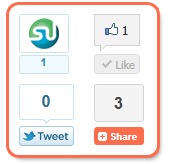
social-share-widget
The Social networking sites growing traffic is indirectly to webmasters themselves. the more they receive traffic the more visitors we receive when people share you content with friends and colleagues. The widget today consists of Facebook, Twitter, StumbleUpon box counters along with Addthis Counter which makes it a complete package of social media sharing buttons. To Add this widget to your blogspot blogs kindly follow the steps mentioned below.

Add Social Share Widget To Blogger

  1. Go To Blogger > Design > Edit HTML
  2. Backup your template
  3. Check the "Expand Widgets Templates" Box
  4. Search for <data:post.body>
  5. Just above it paste the code below,
    Read Also:Twitter Recent Posts Widget, The Rare Widget Ever

<b:if cond='data:blog.pageType == &quot;item&quot;'>
<div align='right'><table border='0' cellpadding='2' cellspacing='0' width='150'><tbody>
    <tr>
      <td valign='top'>    <script src='http://www.stumbleupon.com/hostedbadge.php?s=5'/>
</td>
      <td valign='top'>   <div id='fb-root'/><script src='http://connect.facebook.net/en_US/all.js#xfbml=1'/><fb:like font='' href='' layout='box_count' send='false' show_faces='false'/></td>
    </tr>
    <tr>
      <td valign='top'><a href="http://twitter.com/share" class="twitter-share-button" data-count="vertical">Tweet</a><script type="text/javascript" src="http://platform.twitter.com/widgets.js"></script> </td>
      <td valign='top'>
<!-- AddThis Button BEGIN -->
<div class='addthis_toolbox addthis_default_style '>
<a class='addthis_counter'/>
</div>
<script src='http://s7.addthis.com/js/250/addthis_widget.js#pubid=xa-4de39fde7c998f6e' type='text/javascript'/>
<!-- AddThis Button END -->
</td>
    </tr>
  </tbody></table></div></b:if>

If you wish to align the widget to left then replace  right with left
6.Save and you are done!
Read More:Create a Floating Feedback and Back-To-Top Button For Your Blogs
Let me know if you needed any help.

Sunday, 22 December 2013

Add a Cute Flying Twitter Bird To Your Blogs

By on 13:33
flying-twitter-birdWith Twitter's worldwide popularity and with over 200 million users, generating 65 million tweets a day, it has become a must for every web master to use twitter sharing buttons and applications as much on his web as possible. This lets users to easily  tweet our blogs and websites which thereby generates traffic for us in return. Muhammad Awais Afzal of BT4U has coded a beautiful cute twitter bird that flies from corner to corner of your web page as you scroll up or down. It has a follow me link as well as tweet link. It is compatible with all browsers.
I am sure you will love to see that bird flying.
Read Also:Twitter Recent Posts Widget, The Rare Widget Ever

How To Add the Twitter Flying Bird To Blogger?

  1. Go To Blogger > Design > Edit HTML
  2. Backup your template
  3. Search for </body>
  4. And just above it paste the code below

<script src='http://bloggerblogwidgets.googlecode.com/files/way2blogging.org-tripleflap.js' type='text/javascript'> 
</script> 
<script type='text/javascript'> 
var twitterAccount = &quot;AWAISAFZAL0313&quot;; 
var tweetThisText = &quot; <data:blog.pageTitle/> : <data:blog.url/> &quot;; 
tripleflapInit(); 
</script>

   5.  Replace AWAISAFZAL0313 with your twitter account username.
    6.  Save your template and you are done!
    7.   View your blog to see it flying. :)
If you faced any problem just let me know. Have fun!